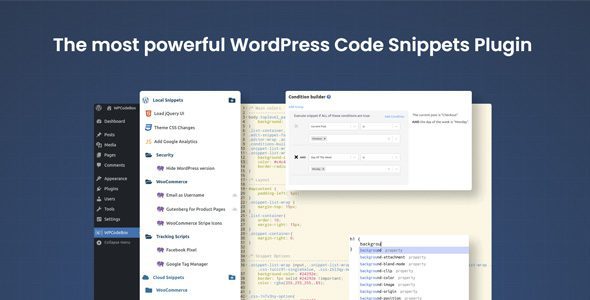
Here’s a clear, **user-friendly overview of *WPCodeBox 1.3.1* — a WordPress code snippets manager plugin designed for developers and advanced site owners** who want a safer, cleaner way to add custom code without editing theme files:
—
## 🧠 What It Is
**WPCodeBox 1.3.1** is a **powerful WordPress plugin** that lets you **add, organize, run, and manage custom code snippets** (PHP, JavaScript, CSS, HTML) in a structured and safe way. It replaces editing `functions.php` or building small custom plugins manually and is ideal for developers, agencies, and site owners who frequently tweak functionality.
Unlike simple snippet plugins, WPCodeBox brings advanced code editing, conditional snippet execution, sync across sites, and error protection — making it much more robust and scalable.
—
## 🔑 Core Features
### 🧩 Snippet Management
* **Add code safely** without editing theme or core files — protects you from breaking the site.
* **Organize snippets into folders and categories** for keeping things tidy.
* **Enable/disable snippets quickly** without deleting them.
### 💻 Advanced Code Editor
* **Built-in editor** with syntax highlighting, autocomplete, and error detection.
* Supports **PHP, JavaScript, CSS/SCSS, and HTML** in one place.
* **Error protection** disables a snippet if it causes a fatal error so your site doesn’t break.
### 💡 Smart Execution Controls
* Run snippets **only under specific conditions** (e.g., admin dashboard only, specific pages, user roles, or devices).
* Reduce unnecessary code execution to improve performance.
### ☁️ Sync & Reuse Across Sites
* **Cloud sync** lets you store and reuse snippets across multiple WordPress sites via a central account.
* Great for agencies managing many client websites.
### 📌 Quick Actions & Utilities
* **Quick snippet actions** from the admin bar for frequent tasks.
* **External script/CSS injection** support (e.g., include third-party libraries).
—
## 📊 Why It’s Useful
**WPCodeBox** solves common development challenges on WordPress:
✔ **Avoid editing theme/plugin files** — keeps core files clean & safe.
✔ **Organize multiple snippets** without chaos — great for testing and reuse.
✔ **Safe development workflow** — errors don’t break the site thanks to built-in protection.
✔ **Multi-site support & sync** — perfect for agencies or multi-site networks.
✔ **Conditional loading** — run code only where it’s needed, improving performance.
This makes it far more powerful than basic snippets plugins and nearly a **snippet management platform** with collaboration and reuse capabilities.
—
## ⚙️ Typical Snippet Use Cases
You might use WPCodeBox for:
* Custom **theme tweaks** without child themes
* Adding **security fixes or headers**
* Enqueuing custom **scripts or styles**
* Modifying WordPress behavior with filters/actions
* Setting **custom image sizes, login redirects, breadcrumbs**, etc.
* Injecting analytics or A/B test code on specific pages
In other words: anything you’d normally put in `functions.php` — but in a much safer, organized way.
—
## 📌 Summary
**WPCodeBox 1.3.1** is a **professional code snippet manager for WordPress** that makes adding custom code easier, safer, and more scalable. It features:
* **Advanced snippet organization**
* **Smart conditional execution**
* **Cloud sync across sites**
* **Error protection and powerful editor**
* **Support for PHP, JS, CSS, and HTML**
Whether you’re a developer, agency, or power WordPress user, WPCodeBox helps you control custom functionality without risking site stability.
—
If you’d like, I can also give you a **step-by-step example** (e.g., how to add a custom filter or admin tweak with WPCodeBox). Just let me know!
