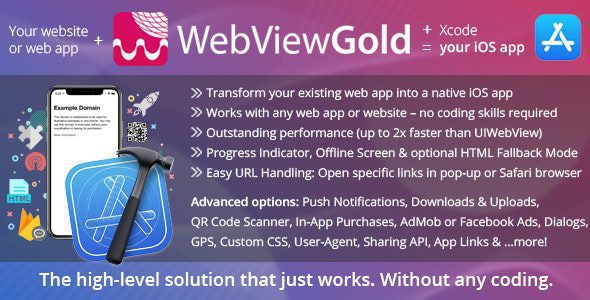
Here’s a clear, up-to-date overview of WebViewGold for iOS 14.0 – WebView URL/HTML to iOS app + Push, URL Handling, APIs, a complete app template that lets you turn a website or web app into a real native iOS application without coding:
📱 What It Is
WebViewGold for iOS 14.0 is a native iOS app template (built in Swift/Xcode) that wraps your existing website, web app, or HTML files into a fully functional iPhone/iPad app. Instead of building a mobile app from scratch, you point the template to your URL or local HTML, and WebViewGold creates a native iOS application that behaves like your website — but with mobile-native enhancements.
It’s designed to support features like push notifications, custom URL handling, native APIs, and advanced web interactions, all without deep iOS development skills.
🚀 Core Features
🔗 WebView Wrapper & URL Support
-
Let your iOS app load any website or web app URL inside a full-screen native web view.
-
Smart URL handling: Open external links in Safari or inside the app depending on settings.
-
Deep linking & custom schemes: Use custom URL schemes (e.g.,
webviewgold://…) for internal navigation or Universal Links support.
🔔 Push Notifications
-
Supports push via JavaScript hooks and major services like Firebase or OneSignal.
-
You can append individual user push IDs to your web URLs for personalized notifications.
-
Works even when the app isn’t open, just like native notifications.
🧠 Built-In APIs & Native Enhancements
WebViewGold exposes easy JavaScript-triggered native APIs for advanced functionality without custom native code:
-
Take Screenshot API for capturing views programmatically.
-
App Version Check API to detect and encourage updates.
-
Custom CSS & JavaScript injection so your app UI feels branded and responsive.
-
Barcode, QR scanner, In-App Purchases, and Subscriptions API (if extended).
-
Share, download, image save, and file upload support integrated via native bridges.
✨ Performance & UI Behaviors
-
Native splash screens and activity indicators while content loads.
-
Smart performance cache for faster page loads and offline fallback.
-
Pull-to-refresh, offline screens, native dialogs (alert, confirm, prompt) and more standard UX features.
-
Dark mode and safe-area color settings to match modern UI conventions.
⚙️ How It Works
-
Enter your web app’s URL or include local HTML files in the WebViewGold template.
-
Customize settings (push, splash screens, status bar colors, URL handling) in the template config.
-
Build with Xcode (or via WebViewGold’s cloud build tools) and submit to the Apple App Store.
-
Your app behaves like a native wrapper: updates come instantly as your website changes.
No native coding knowledge is necessary — the template handles the bridge between web content and iOS platform features.
📌 Typical Use Cases
WebViewGold is ideal for:
✔ Converting a PWA or responsive website into an iOS app
✔ Launching content-driven applications (portals, blogs, marketplaces)
✔ Wrapping HTML5 games or web tools as mobile apps
✔ Creating branded apps with push, downloads, and native APIs
✔ Quickly publishing an app without hiring native developers
🔍 Summary
WebViewGold for iOS 14.0 – WebView URL/HTML to iOS app + Push, URL Handling, APIs is a powerful Xcode app template that wraps any web URL or HTML into a native iOS app with support for:
-
Push notifications (OneSignal/Firebase/JavaScript)
-
Custom URL handling and deep linking
-
Native APIs (screenshots, version check, downloads)
-
Offline support, custom UI enhancements
-
No code required — perfect for business owners, entrepreneurs, and teams launching mobile apps quickly.
If you want, I can walk you through how to set up and publish a WebViewGold app to the Apple App Store step-by-step — just let me know!
