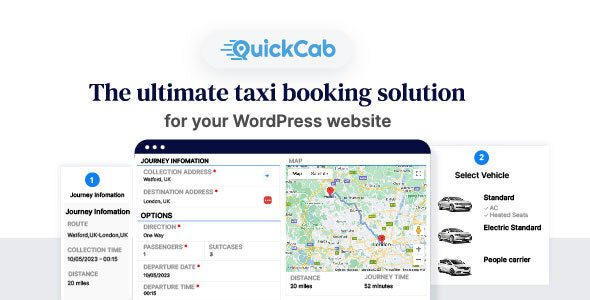
Here’s a clear, up-to-date overview of QuickCab 1.4.6 – WooCommerce Taxi Booking Plugin, a WordPress extension that turns your WooCommerce store into a taxi/ride-hailing booking system:
🚕 What It Is
QuickCab 1.4.6 is a WooCommerce extension plugin that adds taxi/cab booking functionality to your WordPress site. It works with WooCommerce to let customers select pickup/dropoff locations, vehicle types, schedule rides, and complete bookings through checkout — all through your existing WooCommerce payment system.
Instead of selling physical products, QuickCab treats ride reservations as “products” with dynamic pricing, distance/time cost rules, and booking flows. It’s useful for local taxi companies, private hire fleets, airport shuttles, and ride services that want to accept online bookings via WordPress.
✔️ Core Features
🚗 Cab / Ride Booking System
-
Pickup and drop-off selection: Users enter their ride start and end locations.
-
Dynamic fare calculation based on distance, time, vehicle type, extra services.
-
Scheduling: Choose immediate or future ride times.
-
Real-time fare estimates before checkout.
🧮 WooCommerce Integration
-
Every ride booking functions like a product in WooCommerce — customers add it to cart and checkout.
-
Uses WooCommerce’s payment gateways (PayPal, Stripe, offline, etc.).
-
Orders are stored and managed through the standard WooCommerce orders dashboard.
🚙 Vehicle & Service Setup
-
Configure multiple vehicle types (sedan, SUV, minivan, premium).
-
Assign base fees, per km/mile tariffs, waiting time charges, extra services, etc.
-
Set minimum booking distances or pricing rules.
📆 Time & Booking Rules
-
Support for scheduled rides (customer picks date/time).
-
Ride time slots and time-based pricing (e.g., night surcharges).
-
Options for advance booking cut-offs (only allow bookings up to X hours ahead).
🔔 Notifications & Alerts
-
Email notifications to customers and admin upon booking, status change, or cancellation.
-
Configurable email templates via WooCommerce (can use SMTP plugins).
🛠 Typical Use Cases
QuickCab 1.4.6 works well for:
✔ Local taxi companies building an online reservation page
✔ Chauffeur & private car services
✔ Airport pickup/shuttle booking systems
✔ Hotel taxi booking options
✔ Car rental fleets with ride booking addon
✔ Tour providers needing pickup logistics
The plugin is especially helpful for businesses that already run a WooCommerce-based website and want to add cab bookings without a separate booking system.
📊 How It Works (Simplified)
-
Install WooCommerce on your WordPress site.
-
Install and activate QuickCab plugin.
-
Go to the plugin settings to configure vehicles, pricing models, booking rules, and geolocation options.
-
Customers visit your ride booking page, enter pickup/dropoff details, choose a vehicle, and see the fare estimate.
-
They complete booking through WooCommerce checkout like any product order.
-
Admins manage bookings via the WooCommerce Orders dashboard.
⚙️ Pricing Logic & Features
QuickCab typically supports many pricing components:
-
Base fare (fixed per trip).
-
Distance cost (per km/mile).
-
Time cost (e.g., waiting charges).
-
Vehicle type multipliers (premium vs standard).
-
Extra services (child seat, meeting service, luggage help).
-
Minimum fare rules.
This makes it versatile for taxi pricing models and service tiers.
🧑💼 Customer Experience
✔ Mobile friendly booking form
✔ Instant fare estimate before checkout
✔ Booking confirmation emails
✔ Schedule or immediate service options
Depending on your theme and setup, customers can also save locations, repeat past bookings, and view ride history via their WooCommerce account.
📌 Summary
QuickCab 1.4.6 – WooCommerce Taxi Booking Plugin is a specialized extension that transforms a standard WooCommerce store into a taxi and ride booking platform with:
-
Pickup/drop-off booking and pricing
-
Distance-based fare automation
-
Scheduling and vehicle type selection
-
Full WooCommerce checkout and payment
-
Order management via WooCommerce admin
It’s ideal for taxi services, private hire operators, shuttles, and travel-adjacent businesses that want a ride booking system built on WordPress + WooCommerce.
If you’d like, I can also share a step-by-step setup guide (how to configure rates, vehicles, and price rules) to make the plugin work with your site. Just let me know!
