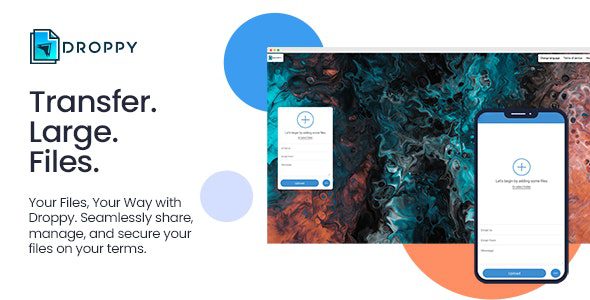
Here’s a clear, up-to-date overview of Droppy 2.6.1 – Online File Transfer and Sharing, a self-hosted file sharing and transfer platform you can run on your own server or website:
📦 What It Is
Droppy 2.6.1 is a self-hosted online file sharing and transfer solution (a PHP script) that lets you upload, share, manage, and securely transfer files through a web interface. You host it on your own server and then you (or your users) can easily send or share files via email or shareable links — similar to services like WeTransfer or ShareDrop, but under your own branding and control.
This kind of platform is often used for internal teams, businesses, or communities who want private, customizable file sharing without relying on third-party cloud services.
🚀 Core Features
📤 File Sharing & Transfer
-
Upload and share multiple files and folders in one go.
-
Drag-and-drop uploads for easy use.
-
Share files via direct email notifications or unique download links.
-
Support for multiple recipients on a single upload.
🔒 Security & Controls
-
Password protect uploads so only authorized people can access them.
-
File encryption to protect data at rest.
-
Require user login for uploading and/or downloading files.
-
Email verification for added user security.
⏱️ Expiration & Automation
-
Automatic file destruction after a set time or after a certain number of downloads to reduce storage bloat and enhance privacy.
-
Chunked uploads and resume support to handle large files and interrupted connections.
🛠 Admin & Management
-
Full admin panel to manage uploads, downloads, users, settings, and templates.
-
Upload and download statistics for tracking usage.
-
Theme and site customization — change backgrounds, colors, and text.
-
Built-in contact form, terms page, and About page for a professional site experience.
🗺️ User Experience
-
Support for multiple languages and translations.
-
Fullscreen backgrounds (image or video) for a modern look.
-
Optional login requirements let you choose whether sharing is open or restricted.
📈 Premium & Add-Ons (Optional)
While the core Droppy script already includes most sharing features, there are optional extensions/add-ons available (depending on vendor distribution):
-
S3/cloud storage integration (AWS, Google Cloud, Backblaze, Wasabi, etc.) for remote storage.
-
FTP/SFTP integration so files can be stored on external servers.
-
Active Directory/LDAP support for enterprise authentication.
-
Subscription support for paid upload limits or premium accounts.
📌 Typical Use Cases
Droppy is suitable for:
✔ Teams and businesses that want an in-house file sharing system.
✔ Creative groups (designers, photographers) sharing large files.
✔ Communities that need secure link-based sharing.
✔ Anyone wanting to avoid third-party cloud services but still offer modern file transfer features.
🛠 Core Technologies
-
Written in PHP and runs on standard web servers (PHP 7.x / 8.x).
-
Uses a web front end with drag-and-drop and file preview features.
📌 Summary
Droppy 2.6.1 – Online File Transfer and Sharing is a self-hosted file sharing platform that lets you securely upload, share, and manage files via links or email. It includes user accounts, password protection, file encryption, auto deletion, admin controls, and upload stats — all customizable through an easy-to-use admin interface.
If you want, I can also explain how to set up Droppy on a typical hosting environment (requirements, steps, best practices) — just let me know!
